
Airflow Management Considerations for a New Data Center - Part 1: Server Power versus Inlet Temperature
Upsite Technologies blog · Ian Seaton
Ian Seaton tests the common belief that raising server inlet temperature beyond about 77 F wastes energy because server fans speed up. He finds the total-energy sweet spot nearer 86-90 F with good airflow management.
On this page
Overview
In this 2017 post on the Upsite Technologies blog, Seaton tests the belief that energy is wasted as server fans speed up when inlet temperature rises. He reviews HP and Dell/APC studies, then builds a model of 1,000 Class A3 servers in an 800 kW facility with chiller, CRAH and server power at several inlet temperatures.
Among the prior studies, the HP study showed PUE of 1.27/1.20/1.19/1.18 at 68/77/86/95 F, but task cost of $510/$501/$565/$601, so PUE and cost diverge. In the modelled A3 800 W server, mean power is 800 W at 68 F and rises to 904 W at 104 F.
In the 800 kW model, total facility power is 994.7 kW at 68 F, 985.2 kW at 77 F, 988.7 kW at 86 F and 1,078.3 kW at 104 F, with a sweet spot of about 86-90 F. The Albuquerque free-cooling analysis finds that an air-side economizer design can be chiller-free if inlets may reach about 99 F, and a water-side design at 86 F, while this is not achievable in Houston or Miami.
The author warns that redundancy of air movers can be exhausted at the highest temperatures. If server fan energy is unknown, about 10% of operating load can be assumed. The work is a model and a blog-level analysis, and needs validation for any specific server or facility.
Key points
- HP study: PUE 1.27/1.20/1.19/1.18 at 68/77/86/95 F but task cost $510/$501/$565/$601; PUE and cost diverge.
- Modelled A3 800 W server: mean power 800 W at 68 F rising to 904 W at 104 F.
- 800 kW model: total facility power 994.7 kW at 68 F, 985.2 kW at 77 F, 988.7 kW at 86 F, 1,078.3 kW at 104 F; sweet spot about 86-90 F.
- Albuquerque: air-side economizer design can be chiller-free if inlets may reach about 99 F; water-side chiller-free at 86 F; not achievable in Houston or Miami.
- If server fan energy is unknown, assume about 10% of operating load.
- Air-mover redundancy can be exhausted at the highest temperatures.
Using it in design
- Include server fan power rising with inlet temperature in the cooling energy tool (for example about +13% from 68 to 104 F for A3) so set-point optimisation minimises total energy, not PUE.
- Flag loss of air-mover redundancy when economizer-only designs operate at high inlet set points.
- In set-point decisions, weigh total facility energy and task cost instead of PUE.
Monthly newsletter · free
Keep your reading list current
Once a month: new library sources, changes to Turkish regulations and upcoming data centre events.
SoSo CAD
Check cooling capacity alongside your design
Review zone heat loads, available capacity and the capacity balance after the largest unit is lost in SoSo CAD.
Request a demo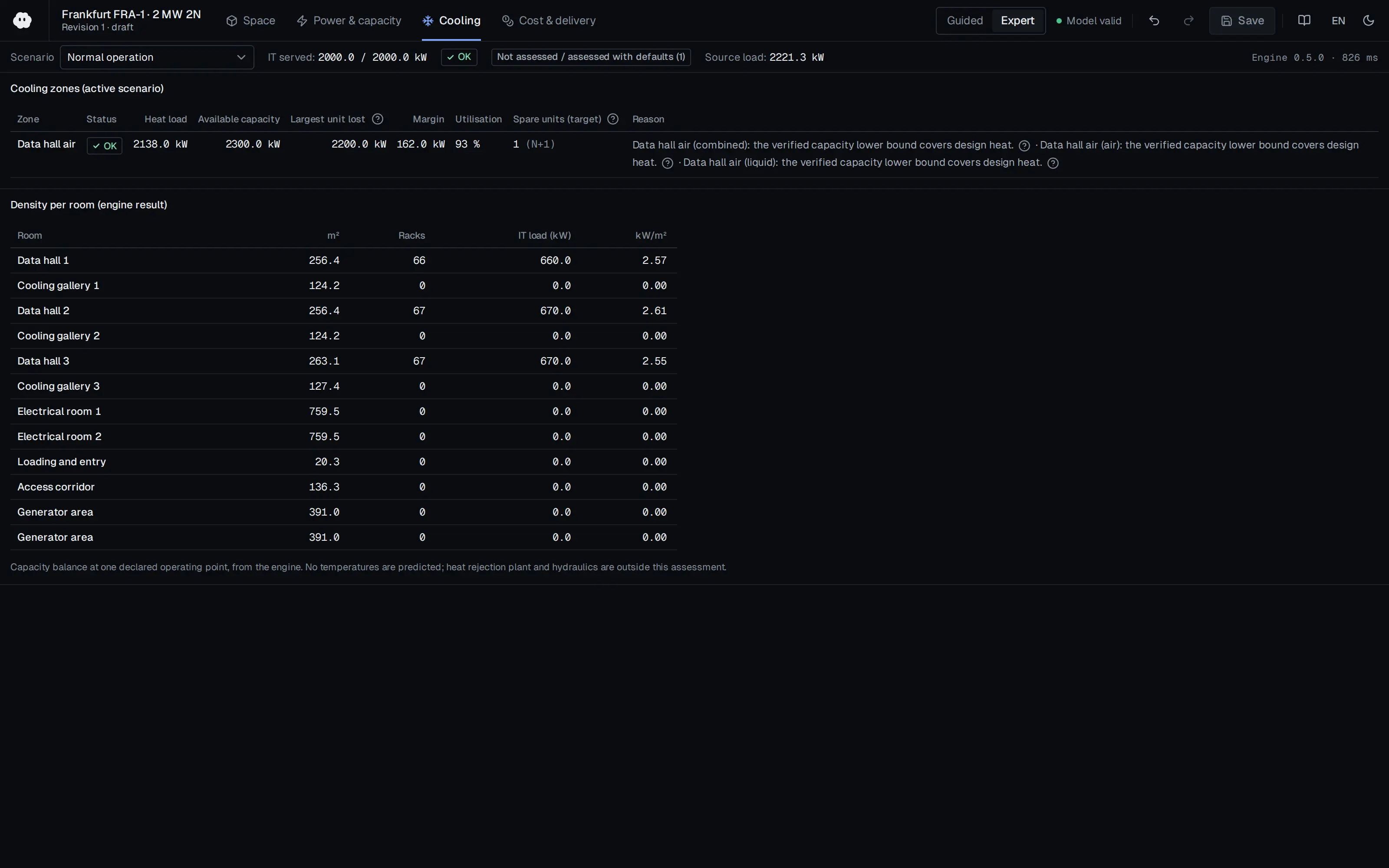
Who should read it
Designers and operations engineers working on cooling set points and airflow management.
Related standards
- ASHRAE Thermal Guidelines for Data Processing Environments
Publication details
- Authors
- Ian Seaton
- Publisher
- Upsite Technologies blog
- Year
- 2017
- Document language
- English
- Source type
- Manufacturer
- Access
- Free to read
- Licence
- Copyright retained; citation only — the publisher’s terms apply to the original document
Citation
Ian Seaton (2017). Airflow Management Considerations for a New Data Center - Part 1: Server Power versus Inlet Temperature. Upsite Technologies blog. https://www.upsite.com/blog/server-power-versus-inlet-temperature/
Events on this subject
Browse the events calendarAll content and rights belong to the respective authors and publishers. SoSo CAD provides only the citation, its own summary and a link to the source, and is not responsible for the sources' content.
Related sources
All sources on this topicUpsite Technologies blog 2019
Data Center Airflow Management at 100F
When high-temperature (A2/A3 allowable) set points are selected, report hot-hour and mechanical-cooling percentages from site weather.
- Air-side economization hours above 90 F: Denver 111 (A2) / 226 (A3); Phoenix 694 / 1,817.
Applied System Innovation (MDPI AG) 2026
Proactive Cooling Control Algorithm for Data Centers Based on LSTM-Driven Predictive Thermal Analysis
For predictive cooling control, plan at least one inlet and one outlet temperature sensor per rack; below that, prediction error rose by about 22%.
- The LSTM uses a 60 min input window and a 30 min prediction horizon, with a reported RMSE of 0.25 and R² of 0.985.
Sustainability (MDPI AG) 2026
Retrofit Optimization of Raised-Floor Plenum Thermal Performance for Energy-Efficient and Sustainable Operation of Non-Standard Campus Data Centers
For plenum imbalance, consider a 50%-perforated transverse baffle about 0.3 m from the unit outlet; 50% open gave a smaller resistance increase than 30% (8.5% against 18.7%).
- For S4, SHI fell from 0.42 to 0.35, maximum rack inlet temperature fell from 27.2 °C to 26.7 °C, and all racks met the 27 °C ASHRAE recommended limit.
European Commission JRC 2025
2025 Best Practice Guidelines for the EU Code of Conduct on Data Centre Energy Efficiency (JRC141521, EUR 40267)
Design the facility to operate within the ASHRAE Class A2 allowable range and require A2 operation within warranty in IT procurement; plan separate environmental zones (practice 5.3.4) for legacy equipment.
- IT equipment AC/DC power converters should be rated at 90% efficiency or better across expected load ranges.
U.S. DOE FEMP / NREL 2024
Best Practices Guide for Energy-Efficient Data Center Design (Revised July 2024)
Weigh the supply air setpoint against server fan energy: raise it in small steps within the ASHRAE recommended range so the most demanding inlet nears 80 °F, only after air management is in place, and control to IT inlet temperature rather than return temperature.
- Compute racks reached 60 kW in 2013, and recent liquid-cooled racks exceed 125 kW.
Energies (MDPI AG) 2018
Analysis of Air-Side Economizers in Terms of Cooling-Energy Performance in a Data Center Considering Exhaust Air Recirculation
In airside economiser design, plan exhaust grilles and the building envelope so recirculation stays below 5%; 15% recirculation raised energy about 6.1% for direct and 9% for indirect.
- The authors recommend placing exhaust-air grilles so recirculation is below 5%, or handling it in the envelope plan at design stage.